# Markets
> Track AI visibility by country and language. How GetIntel markets work, which engines scan from each country, adding a market, comparing markets and what counts against your question limit.
Source: https://getintel.ai/docs/features/markets/
AI answers change by country. The same question asked from the United States and from India can name different brands and cite completely different pages. A **market** is a country and a language: GetIntel asks every engine from that country, writes your buyer questions in that language, and keeps each market's results separate.
[](/product/markets-switcher-full.png)
## What a market includes
Each market has its own:
- **Buyer questions**, written in the market's language.
- **AI answers and scores**, per topic and for the brand.
- **Competitors**, found for that country. The rivals AI names in Germany are often not the ones it names in the US.
- **Sources, content analysis and tasks.**
Some things describe your brand rather than a market, so they are the same in every market: [brand perception](/docs/features/brand-perception/) and the [technical scan](/docs/features/technical/).
## Which engines scan from the market
| Engine | Asked from the market's country |
| --- | --- |
| ChatGPT | Yes |
| Perplexity | Yes |
| Gemini | Yes |
| Google AI Overviews | Yes, in the market's language |
| Claude (Growth) | Yes, except in countries Anthropic's web search doesn't support, where Claude searches without a location |
## Plans
| | Monitor | Pro | Growth |
| --- | --- | --- | --- |
| Markets | 1 | As many as your question limit covers | As many as your question limit covers |
| Change your market | | ✓ | ✓ |
On Monitor and during the [free trial](/docs/account/trial/), your market is the one you pick during setup. Pro and Growth can change it and add more markets.
## Your first market
During setup, GetIntel suggests a market from your website. Check the country and the language before you start the first scan; you can pick any supported country and language.
## Adding a market
1. Open **Settings → Markets** and choose **+ Add market**.
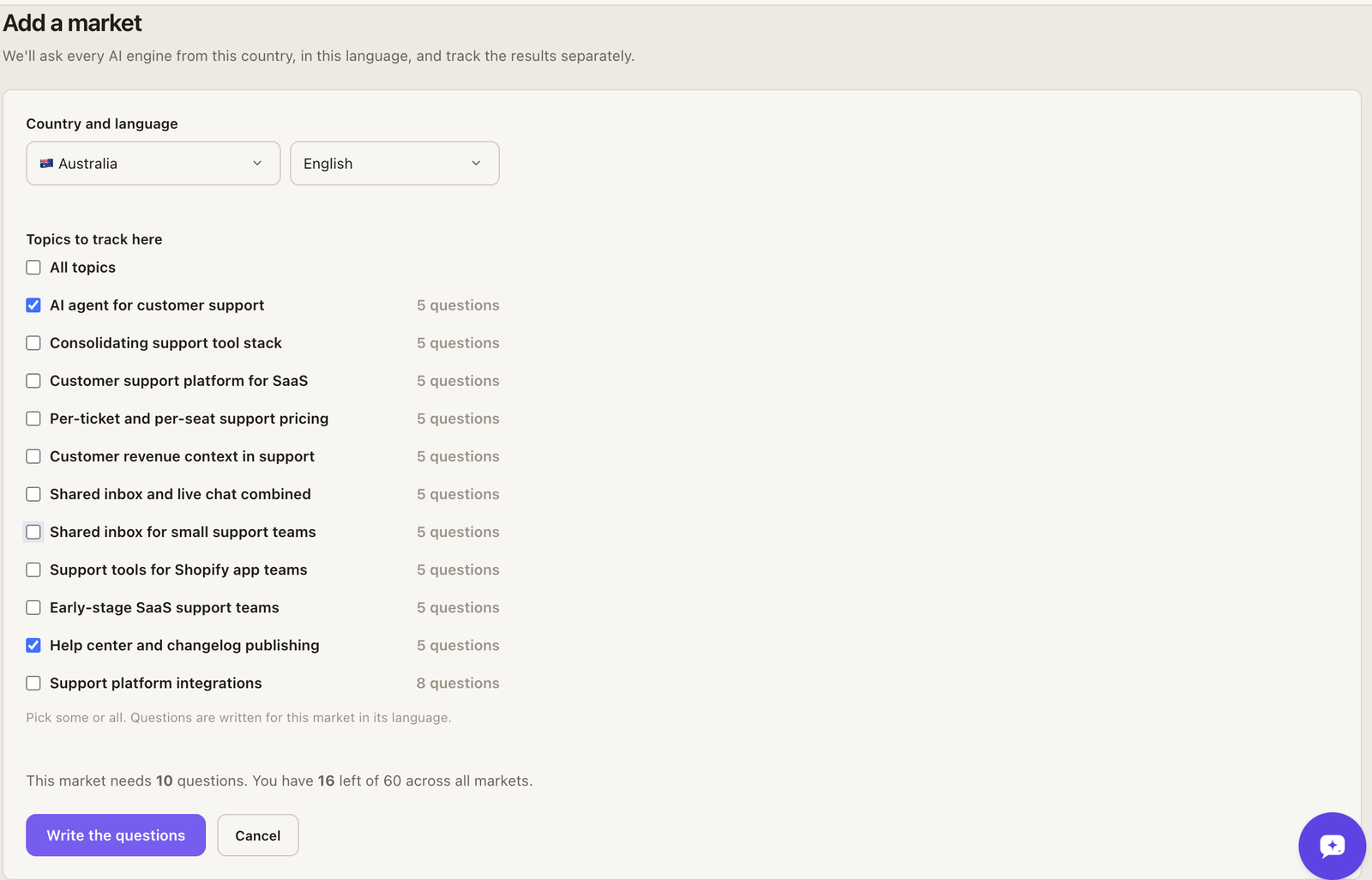
2. **Pick the country and language.** Both lists are searchable.
3. **Pick the topics to track there.** A market can track some or all of your [topics](/docs/features/topics/). You see how many questions the market needs and how many you have left.
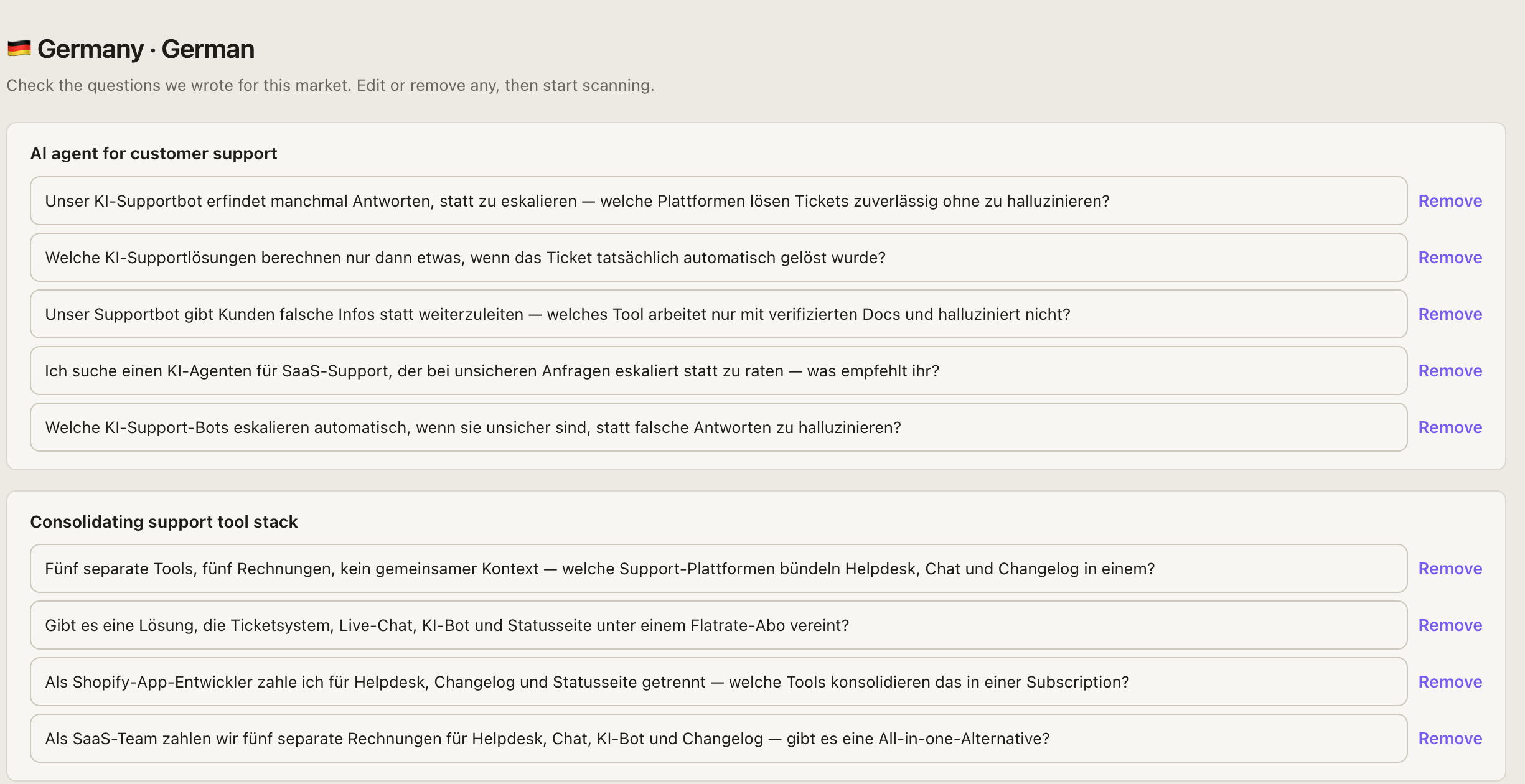
4. **Review the questions.** GetIntel writes the questions in the market's language and finds the competitors AI names there. This takes a minute or two. Edit or remove any question.
5. **Start scanning.** The market's first scan runs straight away: every question on every engine, then topic scores, sources and tasks. It takes about 10 minutes.
[](/product/add-market-full.png)
[](/product/markets-questions-full.png)
## Switching between markets
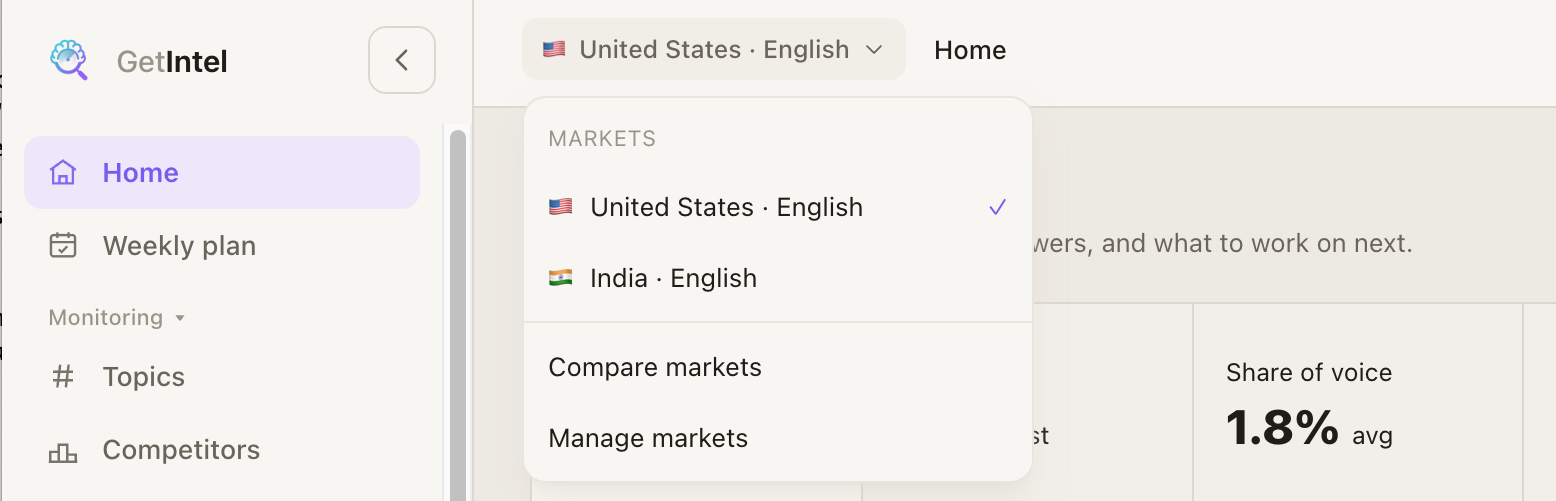
With more than one market, the market in the top bar becomes a switcher. Every page shows the market you pick: Home, Topics, Competitors, Sources and Tasks. The switcher also links to **Compare markets** and **Manage markets**.
## Comparing markets
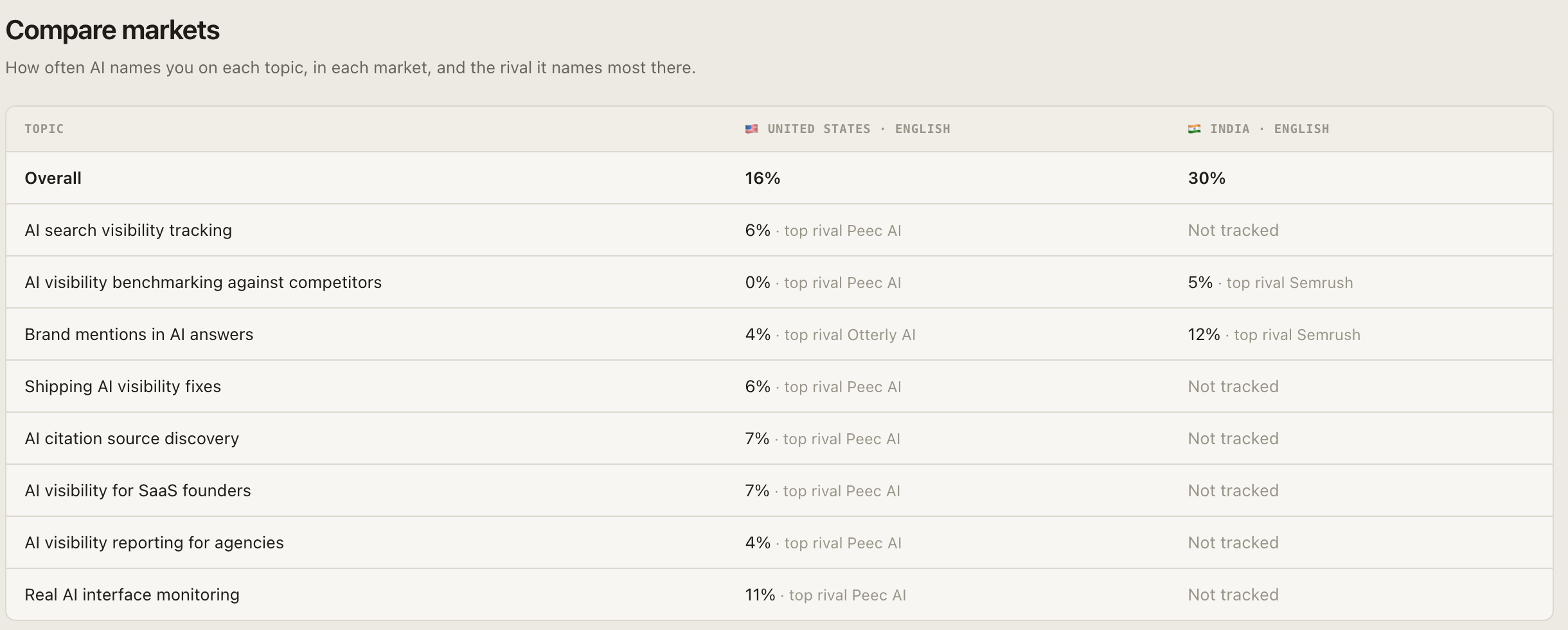
**Compare markets** shows every topic in every market side by side: how often AI names you there, and the rival it names most. A topic a market doesn't track shows as **Not tracked**.
[](/product/markets-compare-full.png)
## Managing markets
In **Settings → Markets**:
- **Topics** changes which topics a market tracks. New topics get questions written in the market's language; removed topics stop being scanned there.
- **Make primary** sets the market you see by default. Brand perception and the technical scan run from the primary market.
- **Pause** stops scanning a market and frees its questions. Its history stays readable. **Resume** writes its questions again.
- **Remove** stops a market for good and frees its questions. Its data is kept.
The primary market can't be paused or removed. Make another market primary first.
## Question limit
Every question in every market counts against your plan's buyer question limit: 30 questions in each of two markets use 60. Brand checks and head-to-heads don't count, the same as with one market. See [Plans and billing](/docs/account/plans/).
## Markets in MCP and the API
Agents and the API answer for your primary market by default.
- **MCP:** `list_markets` lists a brand's markets. Every other tool except `get_usage` takes an optional `market`, such as `IN-hi`. See the [tool reference](/docs/mcp/tools/#markets).
- **API:** `GET /markets` lists them, and every data endpoint takes `market`. See [Markets in the API](/docs/api/#markets).