# Cloudflare
> Connect Cloudflare with a read-only API token so GetIntel can show how often ChatGPT, Perplexity, Claude and Gemini bots read your pages.
Source: https://getintel.ai/docs/integrations/cloudflare/
AI bots don't run JavaScript, so they never appear in browser analytics. Cloudflare sees every request to your site, which is why GetIntel reads bot traffic from there. Once connected, **Analytics → [AI crawlers](/features/ai-traffic/)** shows how often each engine's bots open your pages, which pages they read, and which pages are newly read or read less than before.
[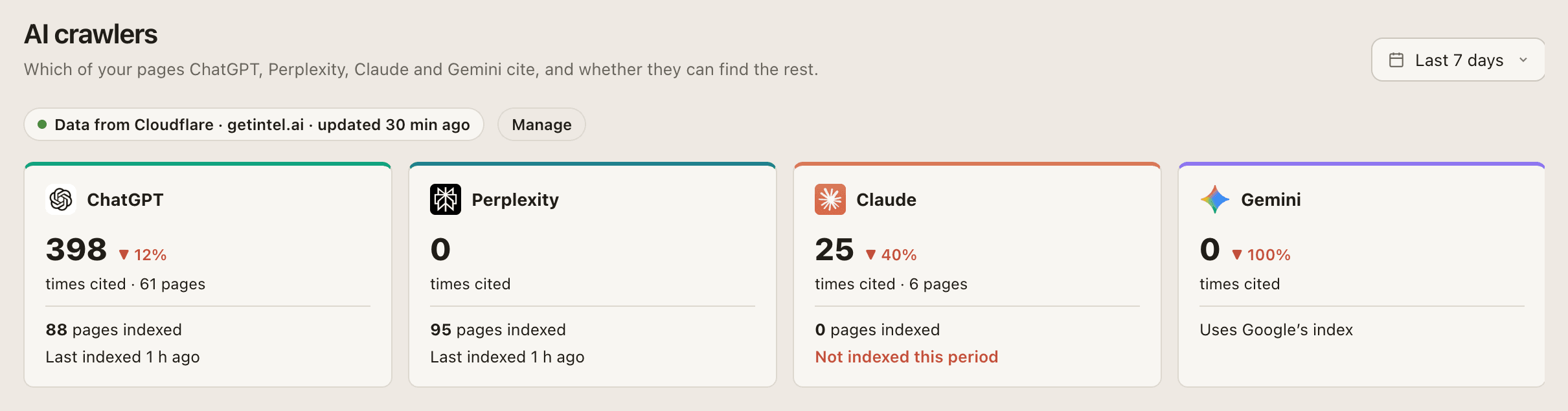](/product/ai-crawlers-full.png)
## Connect
[](/product/cloudflare-connect.png)
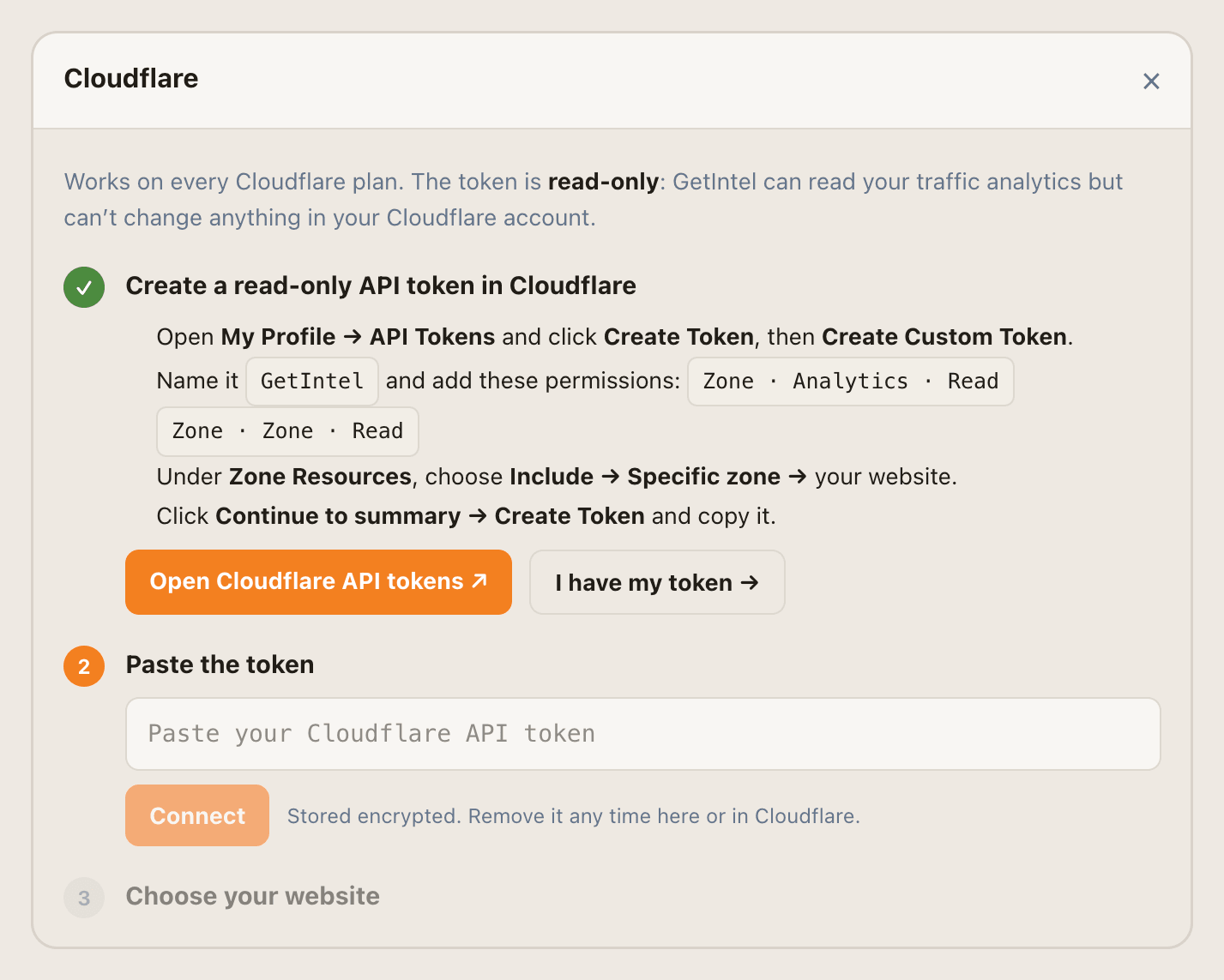
1. **Create a token in Cloudflare.** Open [My Profile → API Tokens](https://dash.cloudflare.com/profile/api-tokens), click **Create Token**, then **Create Custom Token**.
2. **Set its permissions.** Name it `GetIntel` and add two permissions: `Zone · Analytics · Read` and `Zone · Zone · Read`.
3. **Limit it to your site.** Under **Zone Resources**, choose **Include → Specific zone →** your website. Click **Continue to summary → Create Token** and copy the token.
4. **Paste it into GetIntel.** In **Integrations** (or on **AI crawlers**), open **Cloudflare**, paste the token and click **Connect**. GetIntel checks it and lists the websites it can see.
5. **Choose your website.** The one matching your GetIntel domain is marked **Matches your website**. Click **Use** to finish.
## What happens next
- **First numbers in a few minutes.** GetIntel pulls the AI bot visits Cloudflare still holds, 8 days on most Cloudflare plans.
- **Hourly updates.** After the first sync, data refreshes every hour.
- **Verified bots only.** Each hit is checked against the IP ranges the AI vendor publishes, so a scraper pretending to be GPTBot is not counted.
Your MCP agent can read the same data with the [`get_ai_crawlers`](/docs/mcp/tools/#site-and-traffic) tool.
## Manage the connection
- **Swap the token:** open Cloudflare in Integrations and choose **Use a different token**.
- **Disconnect:** choose **Disconnect**. AI crawlers stops updating; data already collected stays. You can also delete the token in Cloudflare.
## Troubleshooting
**The token is rejected.** Check it has both `Zone · Analytics · Read` and `Zone · Zone · Read`, and that it was copied in full.
**Your website isn't in the list.** The token's zone resources don't include it. Edit the token in Cloudflare to include that zone, then connect again.
**"Last sync failed" appears.** The token was deleted or its permissions changed in Cloudflare. Create a new token and choose **Use a different token**.