AI visibility, in the client report you already send.
Visibility, Share of Voice, Average Citation Rank and every citation source, as native Looker Studio fields. Start from our four-page client report, or build your own — next to GA4 and Search Console, under your own brand.
Trusted by
Founders and agencies already using GetIntel
Connected in about a minute.
It is a data source, not a project. Nothing to install, nothing to host, nothing to keep running.
Generate a key
In GetIntel, open Integrations and generate a Looker Studio API key. One key covers every brand on your account, so an agency does this once, not once per client.
Paste it into Looker Studio
Open the GetIntel connector, authorize, paste the key. Looker Studio checks it against GetIntel straight away and fills your brand list.
Build the report
Pick which brand the report covers and add it. Every field is now a native Looker dimension or metric: chart it, filter it, blend it against GA4, drop it into the template you already send.
Share of Voice and Average Citation Rank, natively.
Most AI-visibility connectors hand Looker Studio a mention count and stop. GetIntel exposes the two numbers a client actually argues with: what share of the category's AI namings were yours, and where you land among the products an answer lists.
- Share of Voice: your namings against every brand named
- Average Citation Rank: your position among named products
- Both roll up to a headline or drill to one prompt on one engine
Every client, from a single connection.
The key is scoped to your account rather than to one brand, so the client is a dropdown inside Looker Studio, not a new integration. Win a client on Monday and their report is available the same day.
- Generate once, report on every brand
- New clients appear in the dropdown with no reconnection
- Revoke in one click and every report stops fetching
Reads on every refresh.
No nightly export, no sync job to fall behind, no CSV anyone has to remember to regenerate. The connector reads the same probe ledger the GetIntel dashboard reads, so the report and the app never disagree.
- Refreshes when the report loads
- Read-only: it can never change anything in your account
- Same source of truth as the app and the MCP agent
Generate a key
Integrations → Looker Studio
Paste it into Looker Studio
The GetIntel connector
Pick the brand
Add to report
No install. No script to run.
A client report that already exists.
Every other AI-visibility connector hands you a data source and an empty canvas. We publish the finished report: four pages, built and shared, ready to copy into your own Looker Studio account and rebrand.
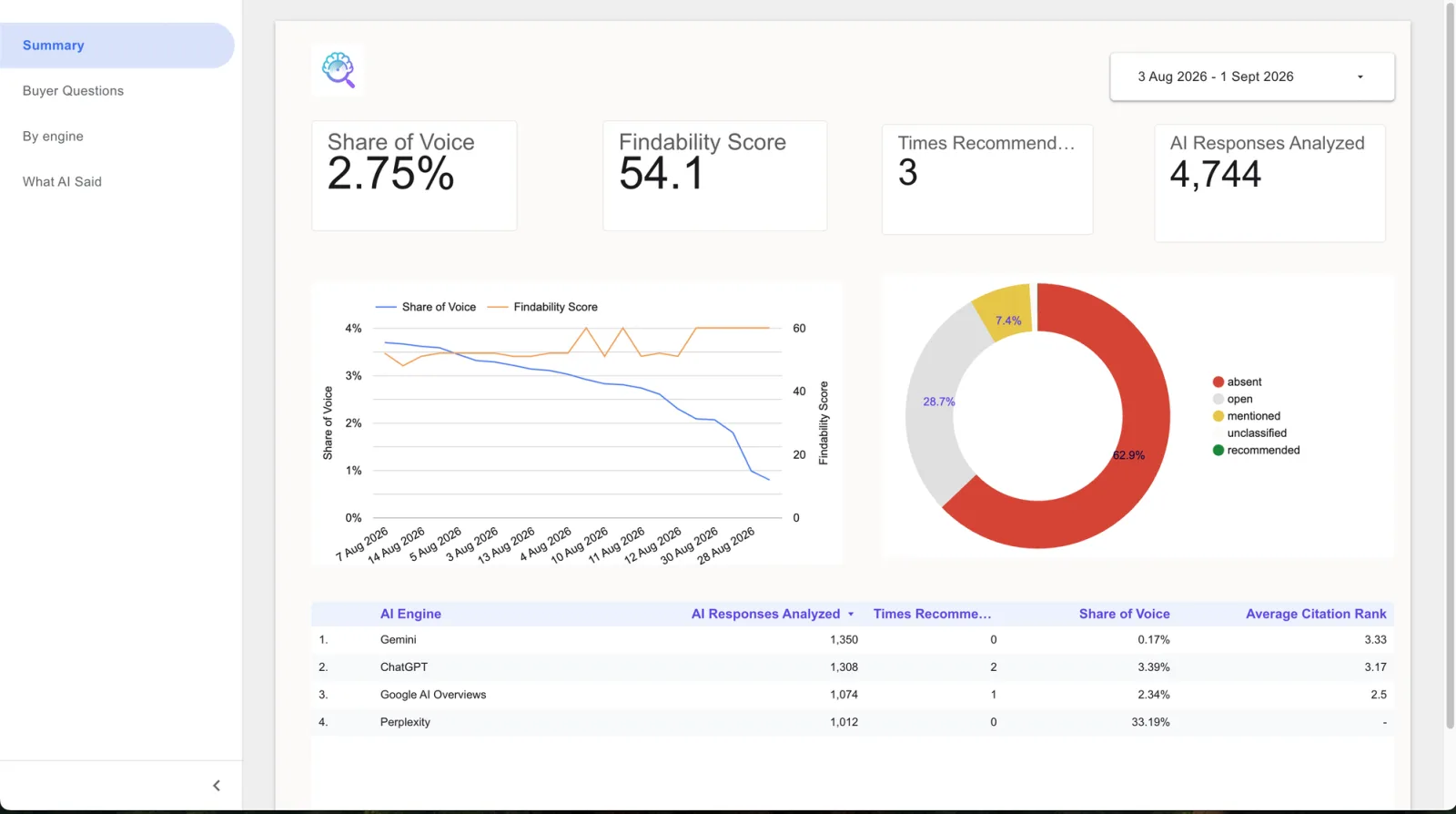
Summary
Share of voice, visibility, times recommended, responses analysed, and the trend.
Buyer questions
Every tracked question against every engine, and the ones where the client is most invisible.
By engine
How each engine treats them: recommended, mentioned, absent, or wide open.
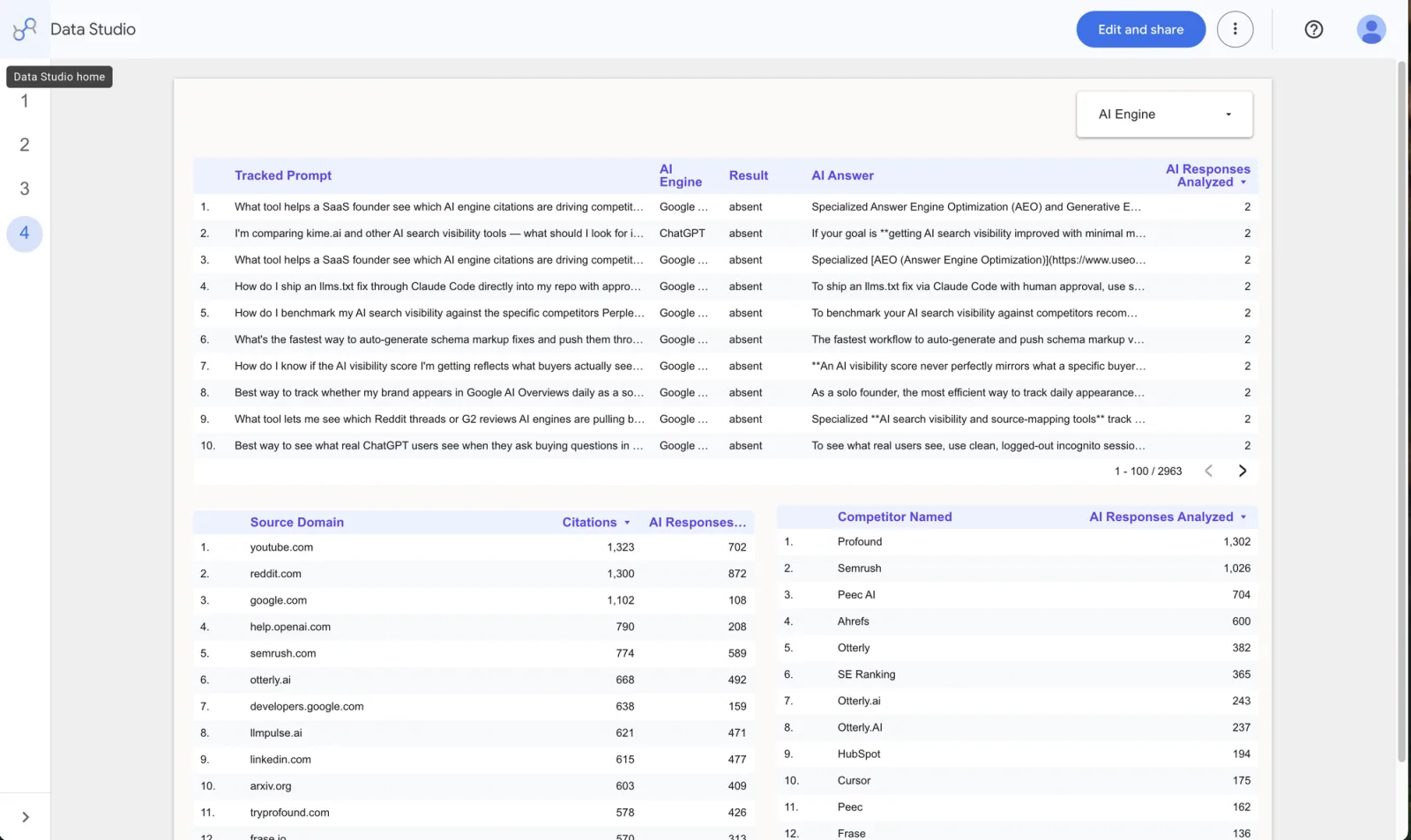
What AI said
The actual answers, the domains cited, and the rivals named instead.
Prefer your own layout? Connect the data source on its own and chart all fourteen fields however you like. The template is a head start, not a requirement.
Every engine you track, in one table.
AI Engine is a dimension, not five separate connections. Chart the whole category or split by engine without adding a second data source.
Four engines daily on every plan · Claude added weekly on Growth · same scoring across every engine
Beyond this one view: the complete GEO platform.
The connector is the delivery layer. Everything it reports on is produced by the surfaces underneath it.

Topics
Every buyer topic scored on its own, daily.

AI Answers
What each engine says, per buyer question.

AI Visibility Tracking
Visibility, share of voice and position, as a trend.

Competitors
See who AI recommends instead of you.

Sources
The exact domains AI pulls answers from.

Signals
Reddit threads in your market, read weekly by topic.

Tasks
A ranked list of fixes, already drafted.

Content
Which of your pages AI cites, and which it skips.

Ship the Fix
Hand drafted fixes to your own coding agent (MCP).

AI Traffic
AI crawlers reading your site, and visitors they send.
Don't just take our word for it
Founders and agencies turning AI blind spots into shipped fixes, not backlog items.
“The tool is amazing for our clients. We have been able to give them exact insights, and the tool has worked brilliantly.”

Paul Williamson
Growth Marketing, PRonto Marketing
“The tool helped me improve my citations from 0 to 3% in six weeks. It is clear and helps us understand what to do next.”

Mukul Chaware
Founder, Ringowl
“We tried other tools and none of them had Reddit. We tried using the Reddit part and found it useful.”

Dhairya Bagga
SEO Head, Magicbricks
“The interface is simple and easy to understand. The actionable recommendations make it easier to move from identifying an issue to taking corrective action.”

Nihit Agarwala
SEO/GEO/AEO Lead, TMRW House of Brands
“The tool is very interesting and we love how it shows the AI visibility and the prompts. Love using the tool.”

Aashik M
Lead SEO, Kissflow
“The interface is amazing, and the cost helps us keep our margins. Love using the tool.”

Bob Brennan
CEO, Intrycks
Frequently asked questions
Put AI visibility in your next client report.
Start your 7-day free trial. Full platform access. Cancel anytime.