
Pitch reports
Scan a company you don't work with yet and send them what AI says about them — the same report your clients get, before they're a client.
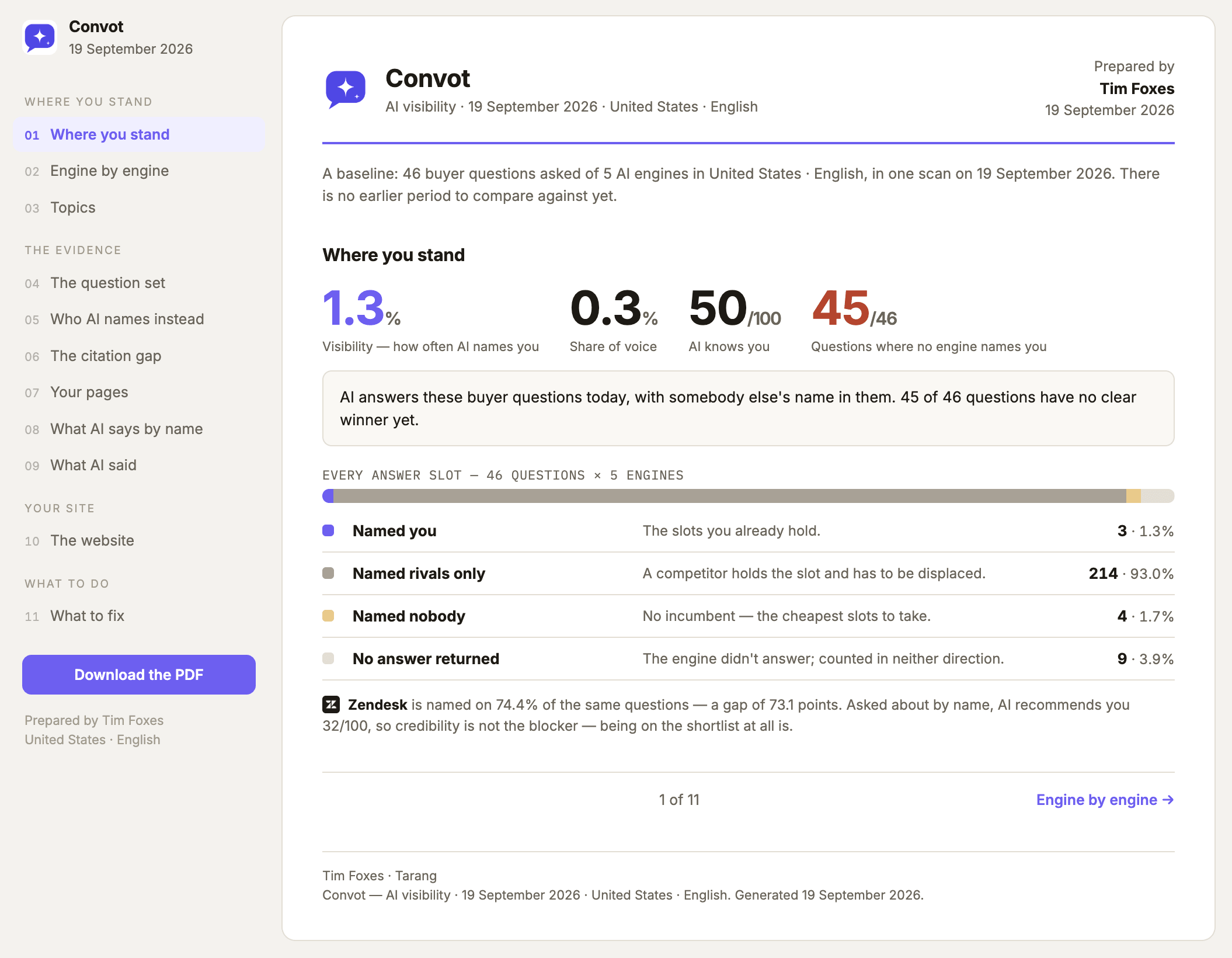
A pitch report is a prospect you scan to win the work. You point GetIntel at a company that isn’t a client, it runs one scan, and you get the same document your clients get — where AI names them, who it names instead, and what to fix.
It’s the pitch itself. Rather than telling a prospect that AI visibility matters, you show them their own number and the questions where AI recommends a competitor by name.
Starting one
Section titled “Starting one”-
Open Pitch reports in the sidebar and choose New pitch.
-
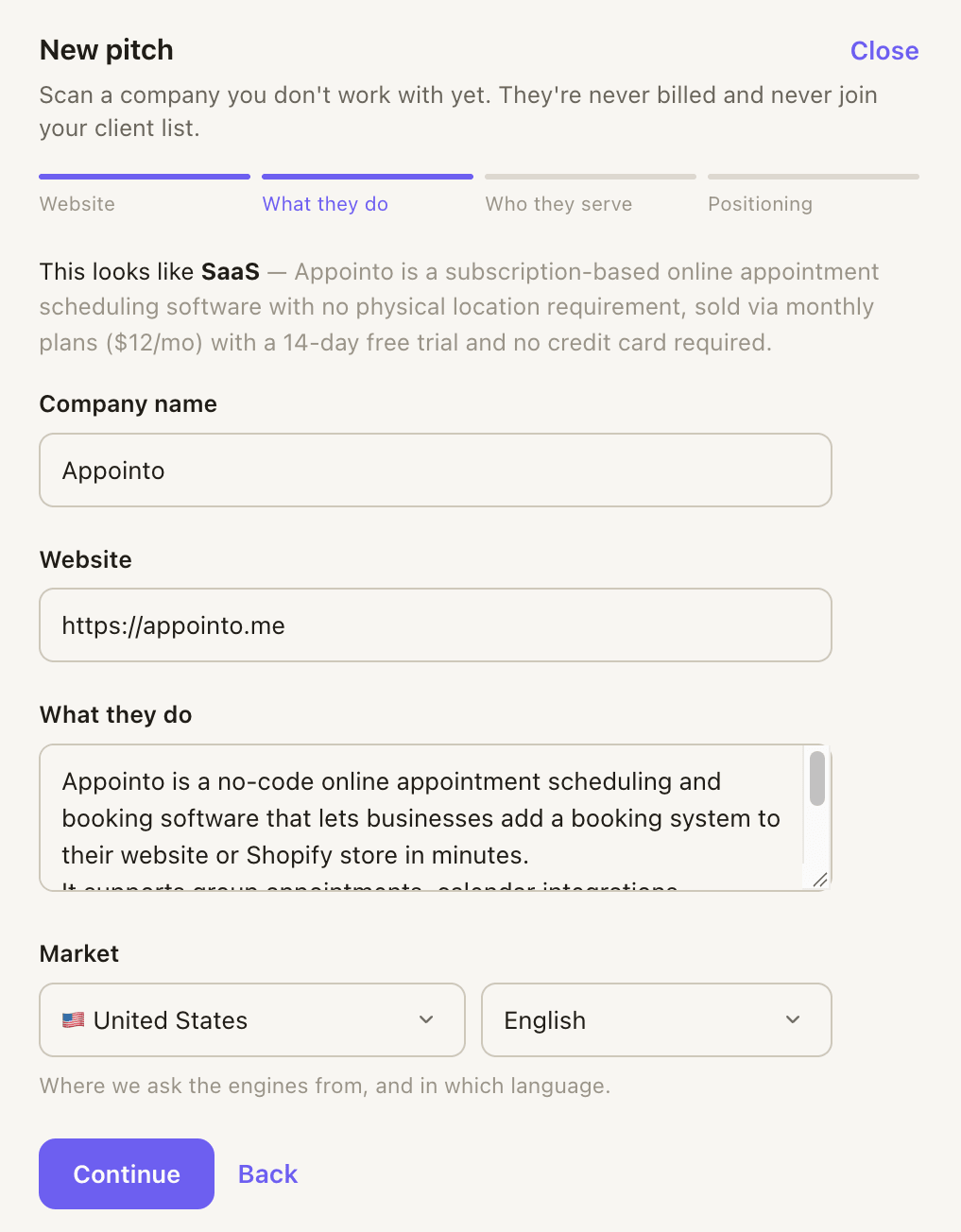
Give us their website. We read the site and work out what they sell, who they sell it to, and which market they’re in.
-
Check what we found. Four short steps — what they do, who they serve, what sets them apart. Correct anything that reads wrong: a wrong guess about the business makes a wrong pitch, and this is the step that stops it.
-
Scan them. It takes a few minutes. You can close the panel and keep working — it runs on our side either way, and the report is waiting on the list when it’s done.
Sending it
Section titled “Sending it”Each finished pitch gives you three ways to hand it over:
- The report opens in your browser.
- The link is a page anyone can read without logging in. It’s minted as soon as the report is built, it’s unguessable, it’s hidden from search engines, and you can revoke it. The numbers are frozen as the report was written — opening it next month shows what it said today.
- The email attaches the PDF. Like a client report, the note is written to them with none of our branding on it, so you send it to yourself and forward it from your own mailbox.
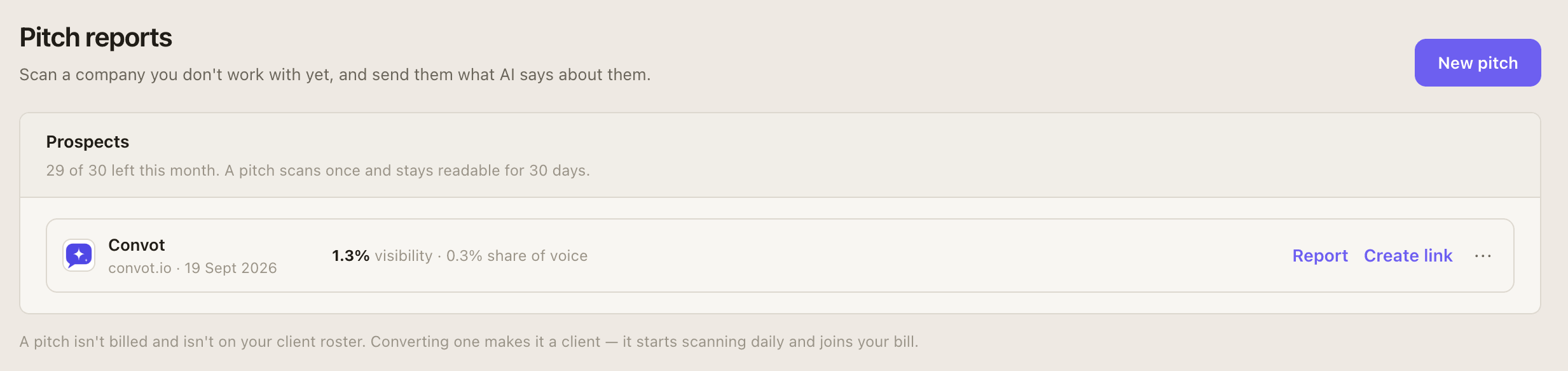
The link counts opens, so the list tells you whether a prospect actually read it.
What a pitch is not
Section titled “What a pitch is not”A pitch is deliberately less than a client:
| Pitch | Client | |
|---|---|---|
| Scans | Once | Every day |
| Report | Built automatically | Whenever you ask, or scheduled |
| On your bill | No | Yes |
| In the brand switcher | No | Yes |
| Lifetime | Readable for 30 days | Ongoing |
After 30 days a pitch goes read-only. The report and its link keep working; it just stops being something you act on.
Winning the work
Section titled “Winning the work”When a prospect says yes, press Convert to client in the row’s menu. It joins your client roster, starts scanning daily, and is billed from that day — and it keeps the scan history from the pitch, so their first month already has a starting point to measure against.
That’s the reason to pitch through GetIntel rather than around it: the number you showed them in the meeting becomes the baseline you report against.
How many you get
Section titled “How many you get”Pitch reports are an allowance per calendar month, and every plan includes some:
| Plan | Pitch reports a month |
|---|---|
| Trial | 3 |
| Monitor | 10 |
| Pro | 30 |
| Agency | 30 |
| Growth | 75 |
The allowance resets on the 1st. Unused pitches don’t carry over. The Pitch reports page shows what’s left.
Through Claude and the API
Section titled “Through Claude and the API”Pitching works outside the app too, so you can research a prospect in the same place you’re writing the proposal.
- MCP:
create_pitchstarts one from a URL,list_pitchesshows the month’s prospects and what’s left of the allowance, andget_pitchreturns one with its share link. Creating a pitch needs the act permission — a read-only connection can look but can’t spend. - API:
POST /v1/pitchesstarts one,GET /v1/pitcheslists them.
Both honour the same monthly allowance as the app, and answer plainly when it’s spent.