
White label
Put your agency's logo and colour on the dashboard, and each client's own branding on their reports. What clients see, what they don't, and which plans include it.
White label puts your brand on the product your team uses, and your client’s brand on everything you send them. GetIntel appears in neither.
There are two halves, and they’re deliberately different.
Your agency’s branding
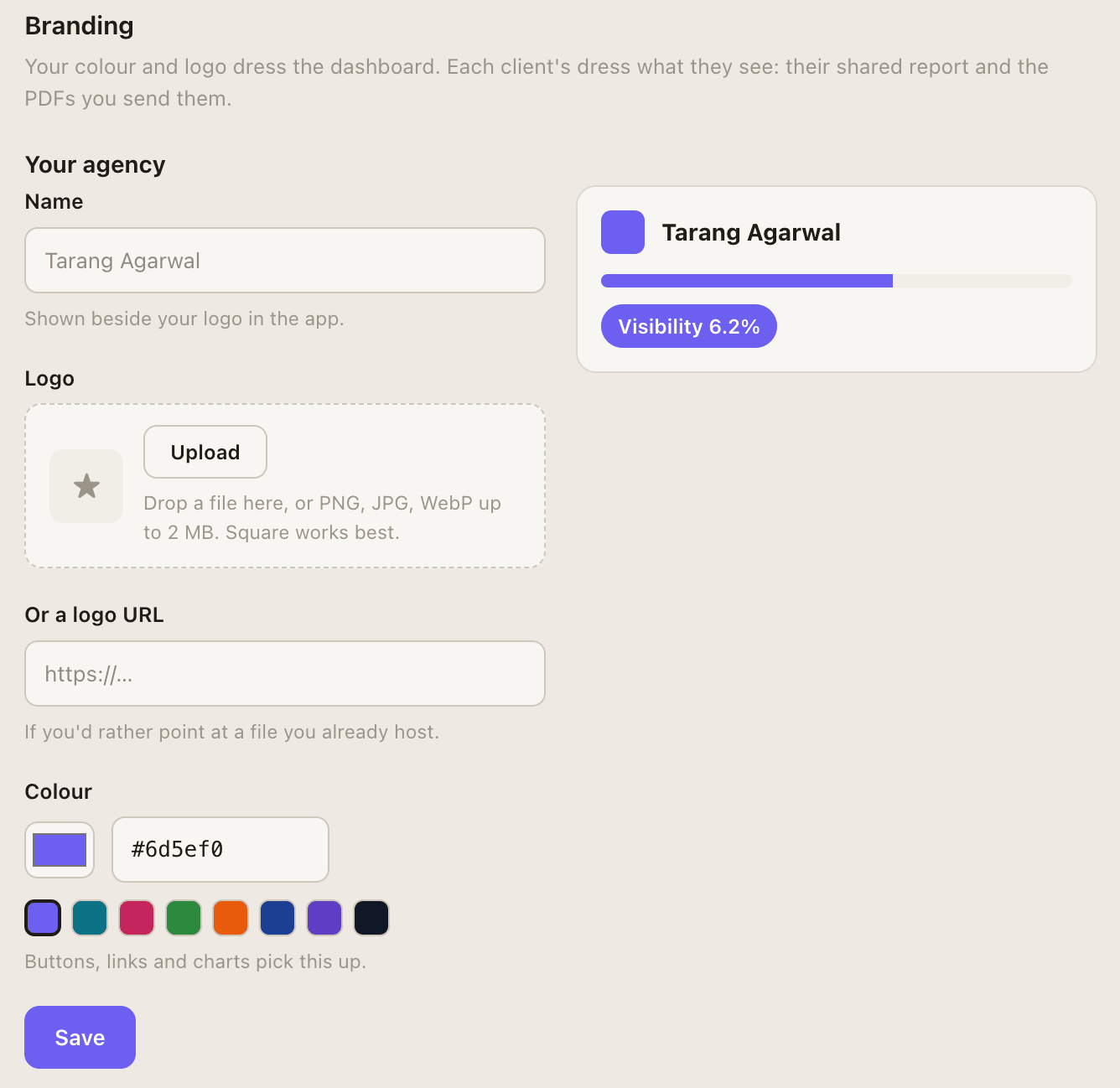
Section titled “Your agency’s branding”Applied to the dashboard your team works in: your logo in the sidebar and your accent colour throughout.
-
Open Settings → Branding.
-
Upload your logo. PNG, JPG or WebP, up to 2MB. It replaces the GetIntel mark in the sidebar.
-
Set your accent colour. Everything that was GetIntel purple becomes yours — buttons, links, charts, highlights.
Each client’s branding
Section titled “Each client’s branding”Applied to what you send that client: their report, their PDF, their shareable link, and the email a scheduled report arrives in.
A client’s logo is found automatically from their website, so most clients need nothing set. Upload a different one or set their accent colour in Settings → Branding, under that client.
What a client sees
Section titled “What a client sees”A report you send carries:
- The client’s logo and accent colour
- Your agency named as “Prepared by” in the footer
- No GetIntel logo, wordmark, footer or link anywhere in it
The same is true of scheduled report emails: they use the client’s branding and carry nothing of ours, so you can forward one to a client without editing it. See Scheduled reports for why sending them to yourself first is the white-label route.
Shared report links live on a GetIntel domain (getintel.ai/r/…), but the page itself carries only the client’s branding and your agency’s name.
What isn’t white-labelled
Section titled “What isn’t white-labelled”Being straight about the edges:
- The app’s own login page and domain. Your team signs in at GetIntel; a custom domain isn’t offered.
- Anything a client reaches by logging in. Clients don’t get logins — you send them a report or a link instead.
- Billing emails and receipts, which come from us to you, not to your clients.
White label is on for every agency account, whatever plan it’s on. An account is an agency or a brand from the moment it signs up, and the Settings → Branding tab appears for agencies only.
A brand account (one company tracking itself) has nobody to white label for, so the tab isn’t there. Its reports still carry its own logo, found automatically from its website.
Agency pricing is per client. See Per-client billing.