
Markets
Track AI visibility by country and language. How GetIntel markets work, which engines scan from each country, adding a market, comparing markets and what counts against your question limit.
AI answers change by country. The same question asked from the United States and from India can name different brands and cite completely different pages. A market is a country and a language: GetIntel asks every engine from that country, writes your buyer questions in that language, and keeps each market’s results separate.
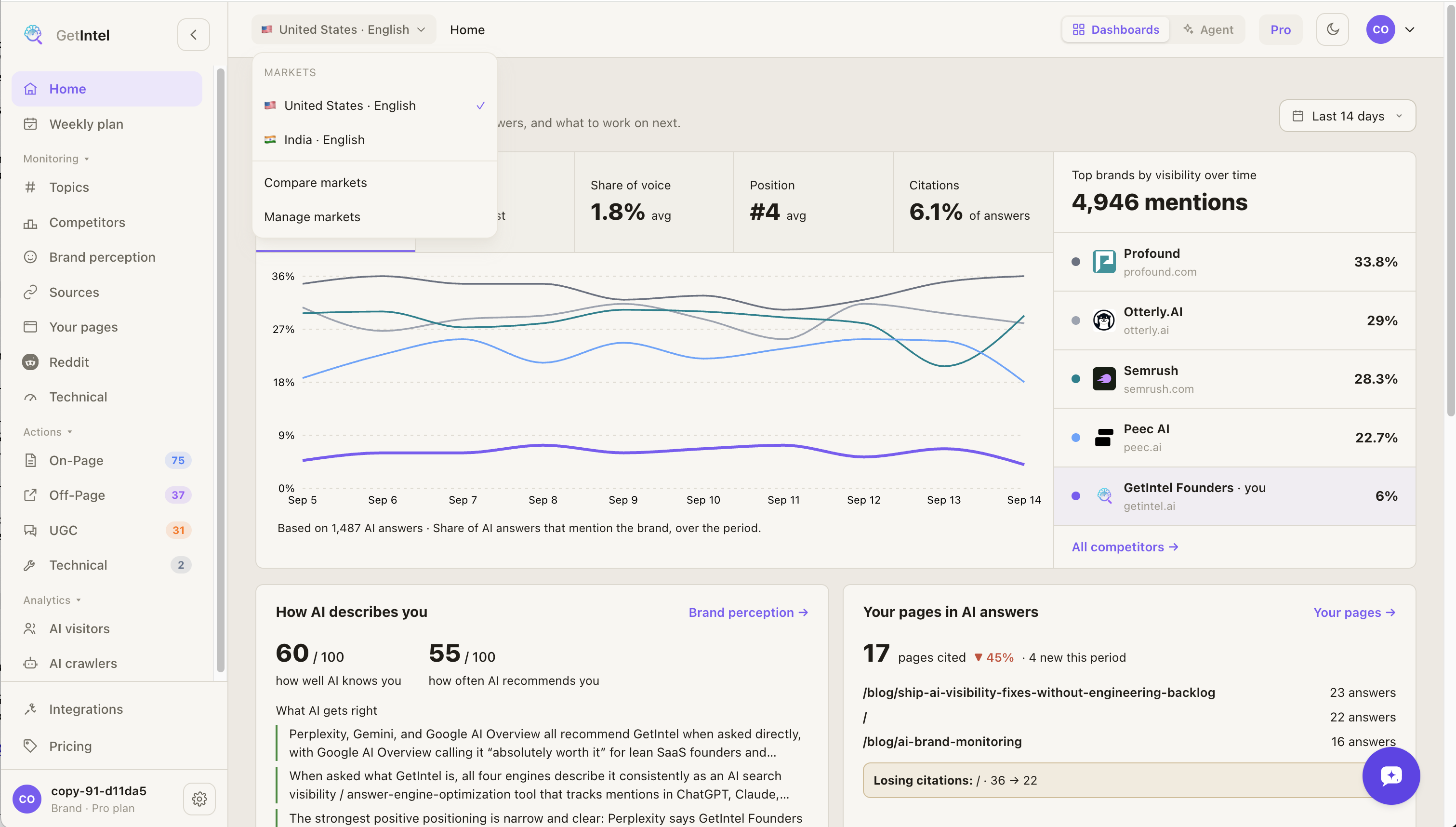
What a market includes
Section titled “What a market includes”Each market has its own:
- Buyer questions, written in the market’s language.
- AI answers and scores, per topic and for the brand.
- Competitors, found for that country. The rivals AI names in Germany are often not the ones it names in the US.
- Sources, content analysis and tasks.
Some things describe your brand rather than a market, so they are the same in every market: brand perception and the technical scan.
Which engines scan from the market
Section titled “Which engines scan from the market”| Engine | Asked from the market’s country |
|---|---|
| ChatGPT | Yes |
| Perplexity | Yes |
| Gemini | Yes |
| Google AI Overviews | Yes, in the market’s language |
| Claude (Growth) | Yes, except in countries Anthropic’s web search doesn’t support, where Claude searches without a location |
| Monitor | Pro | Growth | |
|---|---|---|---|
| Markets | 1 | As many as your question limit covers | As many as your question limit covers |
| Change your market | ✓ | ✓ |
On Monitor and during the free trial, your market is the one you pick during setup. Pro and Growth can change it and add more markets.
Your first market
Section titled “Your first market”During setup, GetIntel suggests a market from your website. Check the country and the language before you start the first scan; you can pick any supported country and language.
Adding a market
Section titled “Adding a market”-
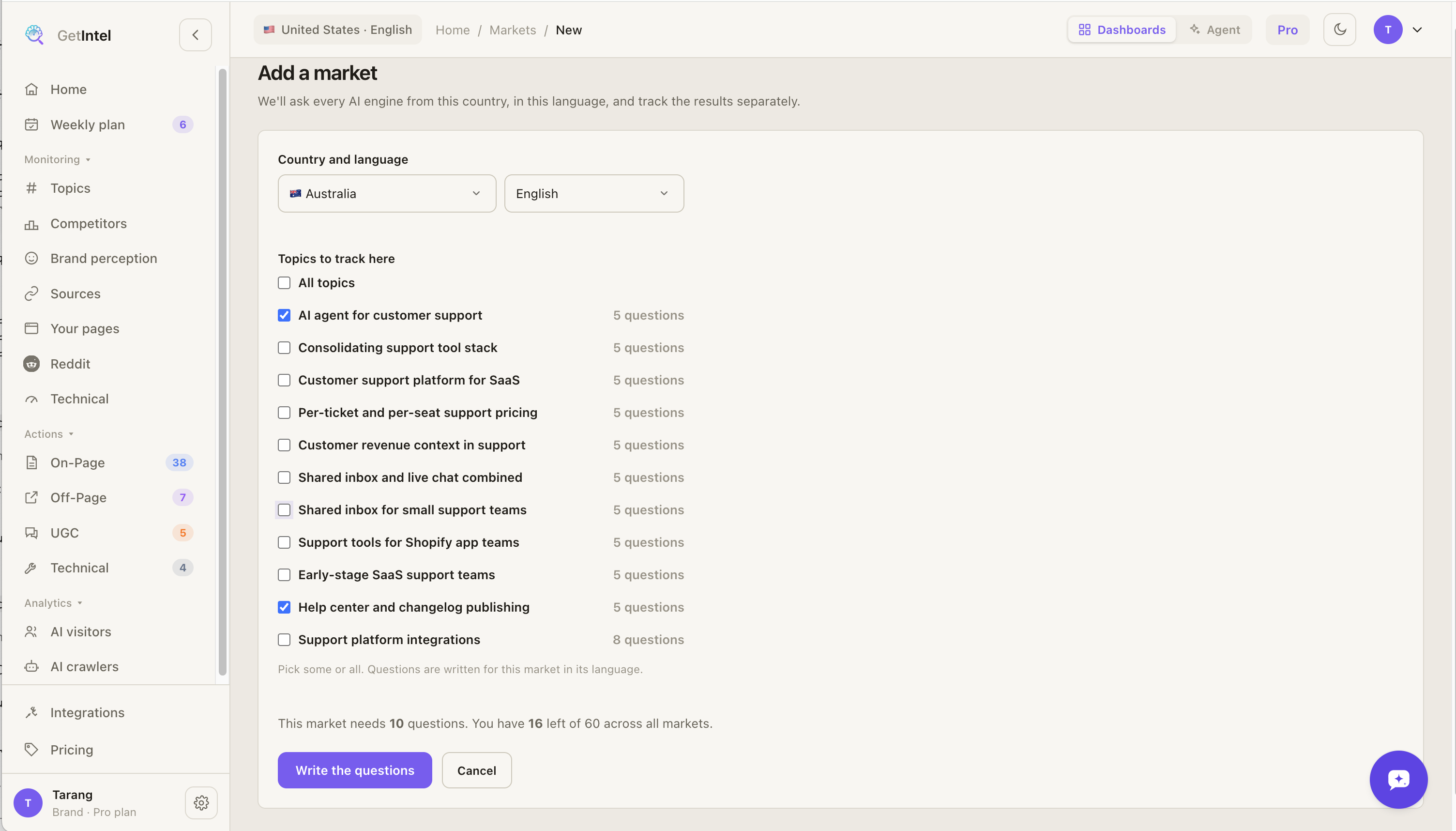
Open Settings → Markets and choose + Add market.
-
Pick the country and language. Both lists are searchable.
-
Pick the topics to track there. A market can track some or all of your topics. You see how many questions the market needs and how many you have left.
-
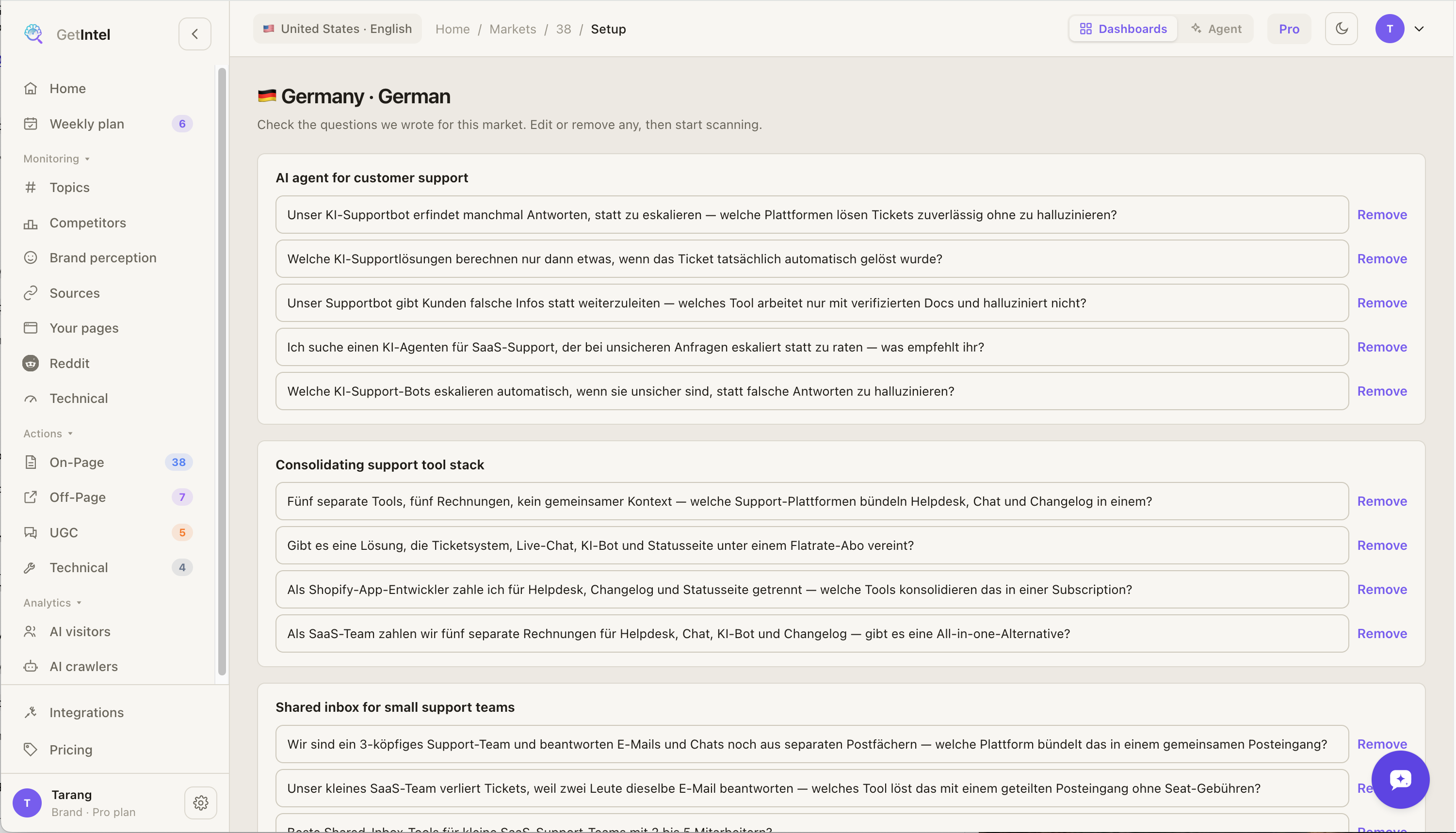
Review the questions. GetIntel writes the questions in the market’s language and finds the competitors AI names there. This takes a minute or two. Edit or remove any question.
-
Start scanning. The market’s first scan runs straight away: every question on every engine, then topic scores, sources and tasks. It takes about 10 minutes.
Switching between markets
Section titled “Switching between markets”With more than one market, the market in the top bar becomes a switcher. Every page shows the market you pick: Home, Topics, Competitors, Sources and Tasks. The switcher also links to Compare markets and Manage markets.
Comparing markets
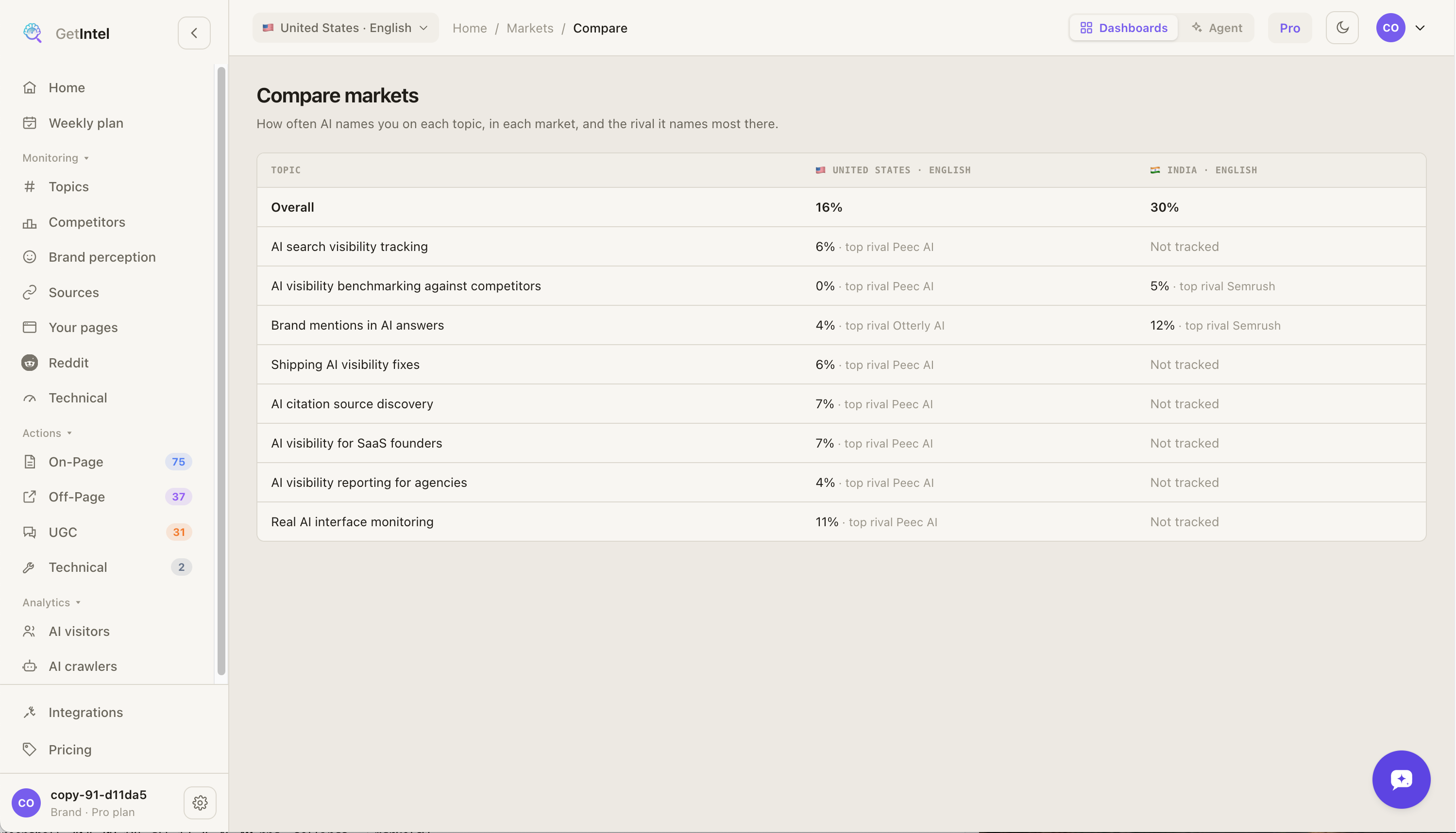
Section titled “Comparing markets”Compare markets shows every topic in every market side by side: how often AI names you there, and the rival it names most. A topic a market doesn’t track shows as Not tracked.
Managing markets
Section titled “Managing markets”In Settings → Markets:
- Topics changes which topics a market tracks. New topics get questions written in the market’s language; removed topics stop being scanned there.
- Make primary sets the market you see by default. Brand perception and the technical scan run from the primary market.
- Pause stops scanning a market and frees its questions. Its history stays readable. Resume writes its questions again.
- Remove stops a market for good and frees its questions. Its data is kept.
The primary market can’t be paused or removed. Make another market primary first.
Question limit
Section titled “Question limit”Every question in every market counts against your plan’s buyer question limit: 30 questions in each of two markets use 60. Brand checks and head-to-heads don’t count, the same as with one market. See Plans and billing.
Markets in MCP and the API
Section titled “Markets in MCP and the API”Agents and the API answer for your primary market by default.
- MCP:
list_marketslists a brand’s markets. Every other tool exceptget_usagetakes an optionalmarket, such asIN-hi. See the tool reference. - API:
GET /marketslists them, and every data endpoint takesmarket. See Markets in the API.