
Actions and weekly plan
How GetIntel turns gaps into ranked tasks across On-Page, Off-Page, UGC and Technical, and how the weekly plan picks what to do this week.
Actions turns what GetIntel finds into ranked tasks. Weekly plan picks a handful of them for this week. Both are available on Pro and Growth.
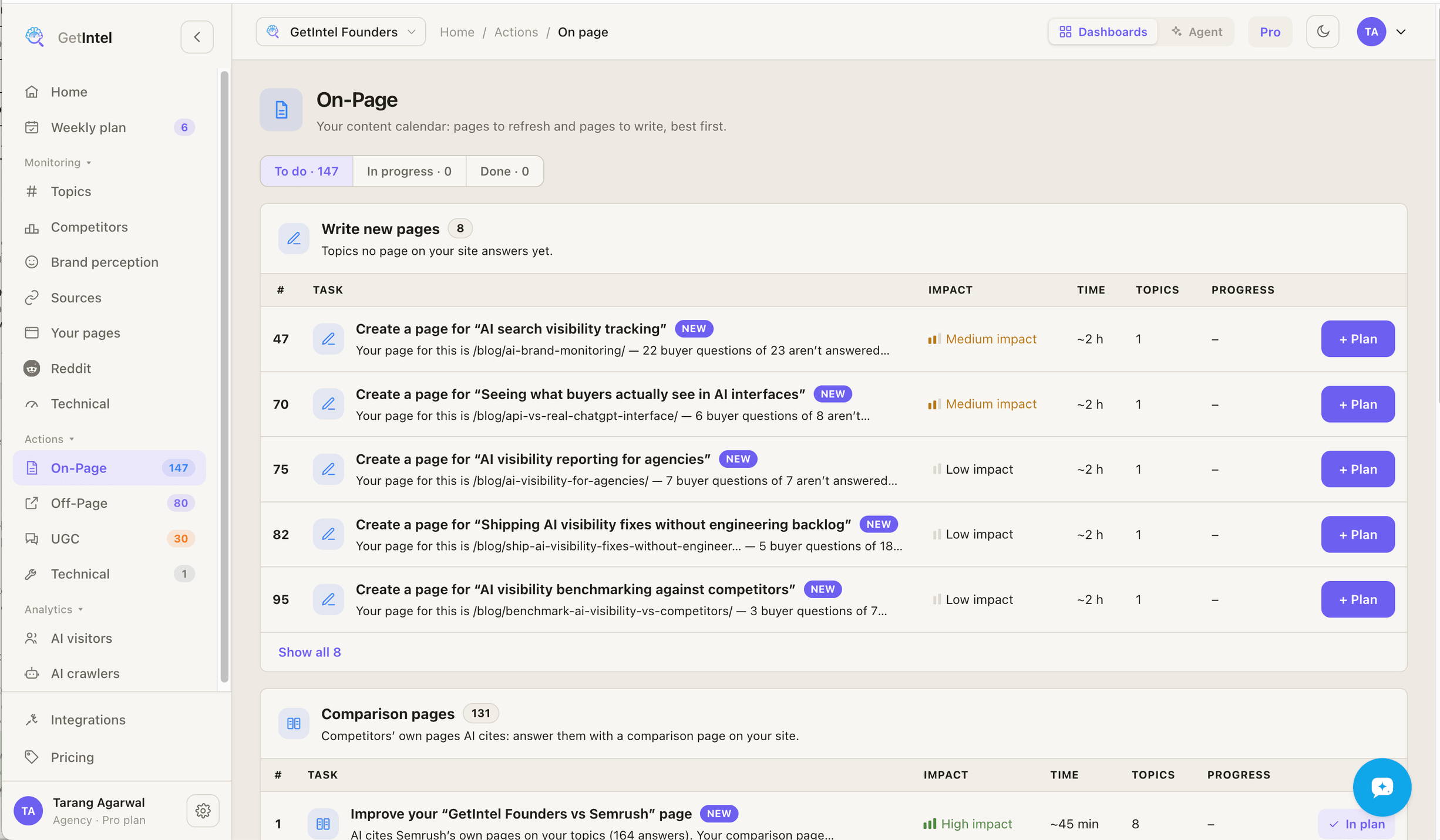
The four layers
Section titled “The four layers”| Layer | What it covers |
|---|---|
| On-Page | Your content calendar: pages to refresh and pages to write. |
| Off-Page | Your outreach list: the lists and articles AI reads that don’t mention you yet, review sites and marketplaces, and comparison pages. |
| UGC | Reddit, YouTube and LinkedIn: the community platforms AI cites most. |
| Technical | Connecting your data, then fixing what the weekly technical scan found. |
How tasks are ranked
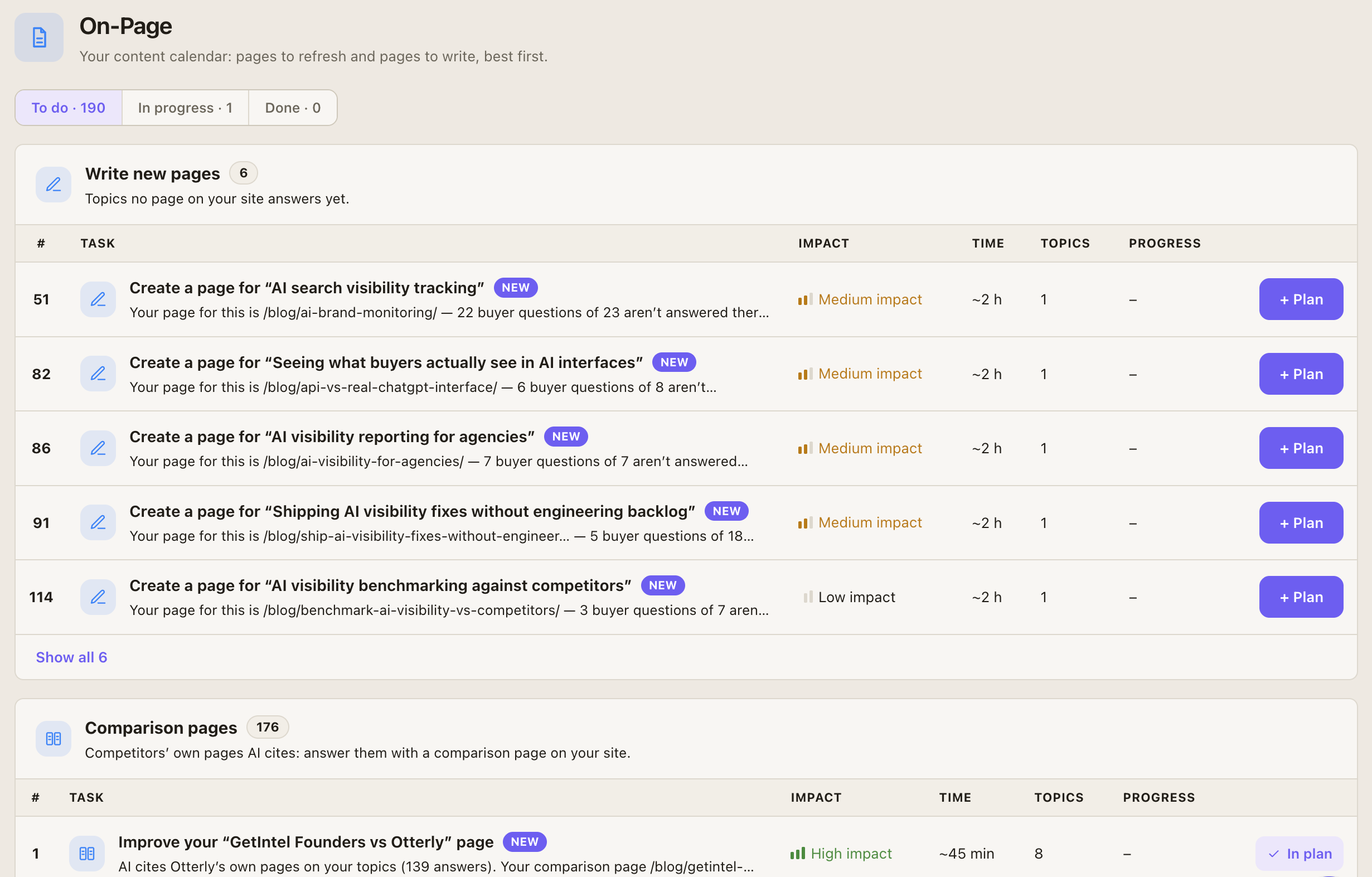
Section titled “How tasks are ranked”Tasks rebuild after every scoring run. Many findings collapse into fewer tasks, and a task that helps several topics ranks higher. The ranking weighs how many answers and questions a task touches, how many topics it helps, whether it fixes the topic’s actual bottleneck, and the effort involved.
A task appears once it is confirmed: seen on at least 2 days, or backed by at least 3 answers. A task GetIntel no longer finds is marked Detected as done.
Working a task
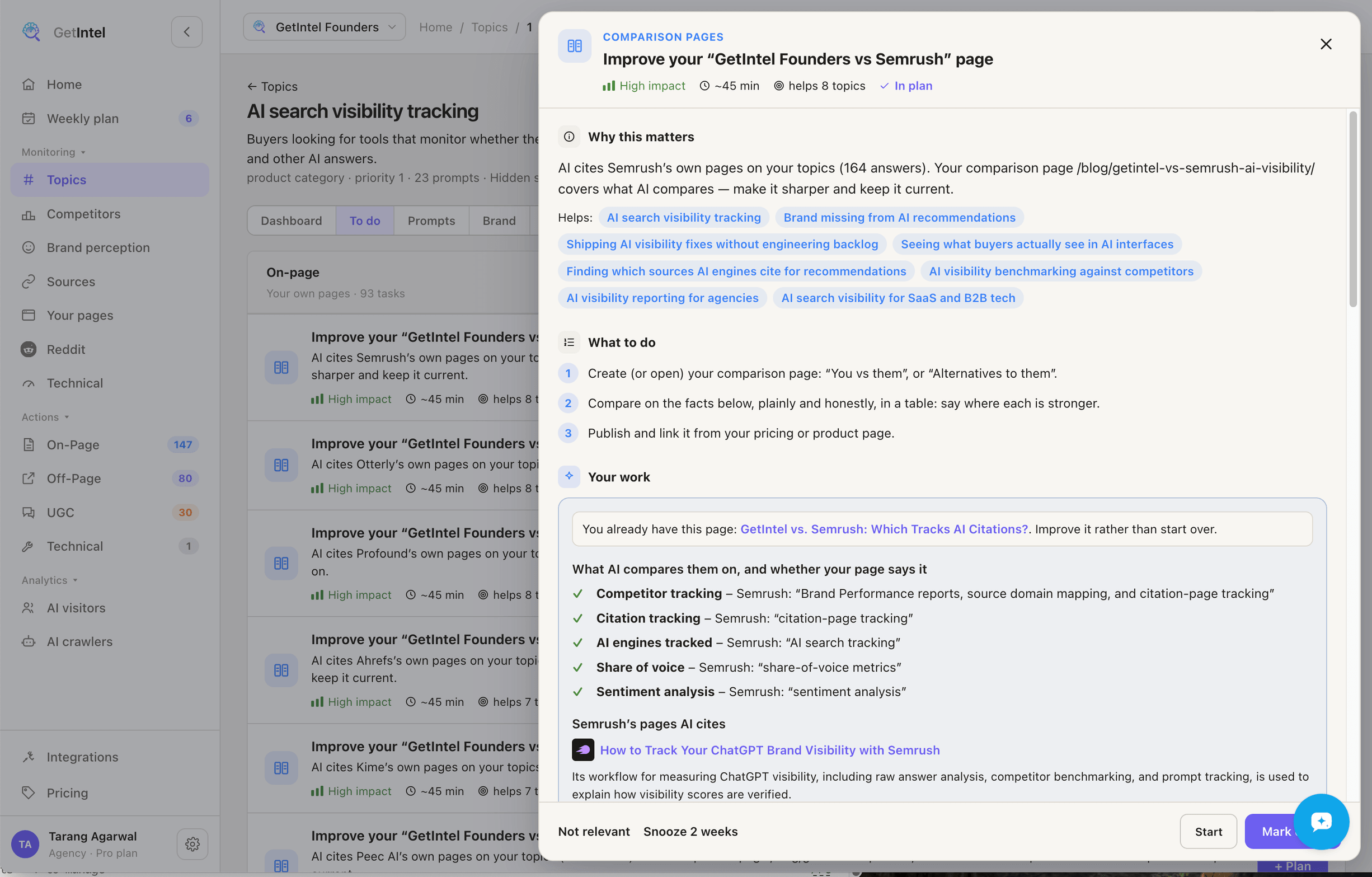
Section titled “Working a task”Open a task to see Why this matters, What to do as a checklist, and the topics it moves. Each layer has To do, In progress and Done tabs.
Where it can, the task also writes the work for you:
- Refresh a page: Write it produces each block to paste into the page, and says where it goes.
- Get onto a list or article: Write the pitch produces the outreach message.
- Reddit thread: Write the reply produces a reply to post.
- New pages, comparison pages, videos and posts come as briefs: the questions to answer, the facts to cover, and the formats AI cites.
You copy the result and publish or send it yourself, or hand it to your coding agent.
- Start, then tick off steps as you go.
- Mark done, or Reopen.
- Not relevant dismisses a task.
- Snooze hides it for 2 weeks.
Weekly plan
Section titled “Weekly plan”Weekly plan is a board with To do, In progress and Done columns for the current week.
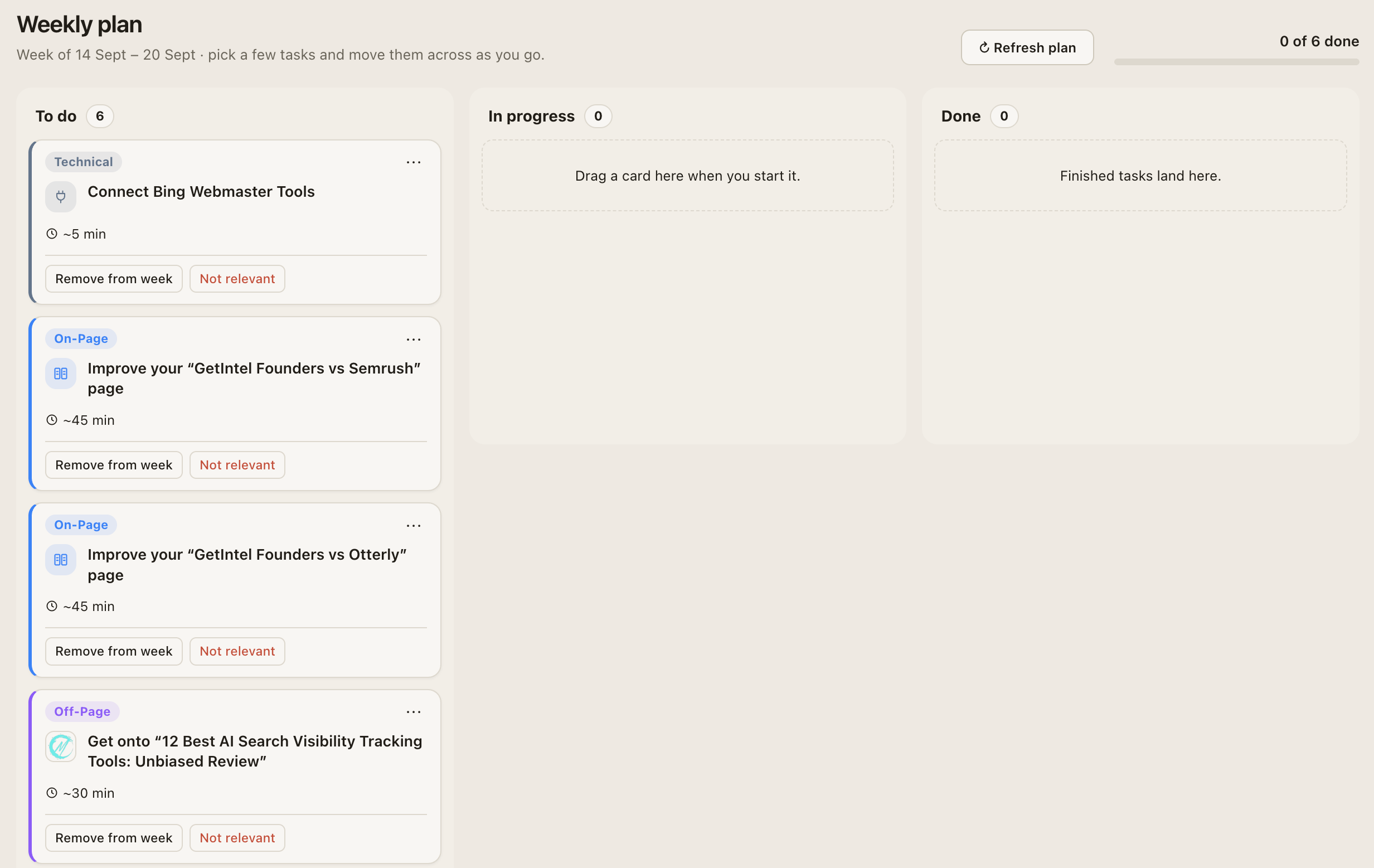
- Plan my week fills an empty board with the top confirmed tasks: 2 On-Page, 2 Off-Page, 1 UGC and 1 Technical.
- Refresh plan swaps the tasks you haven’t started for the current top ones. In-progress and done tasks stay.
- Up next lists the most valuable tasks not on the plan, to add yourself.
- Unfinished tasks carry over into the next week.
On Monitor, Actions and Weekly plan are locked, but GetIntel still builds your tasks and shows how many are waiting.