
Prompts and AI answers
See every tracked buyer question, how ChatGPT, Perplexity, Gemini and Claude answered, and read the full AI answer and its cited sources.
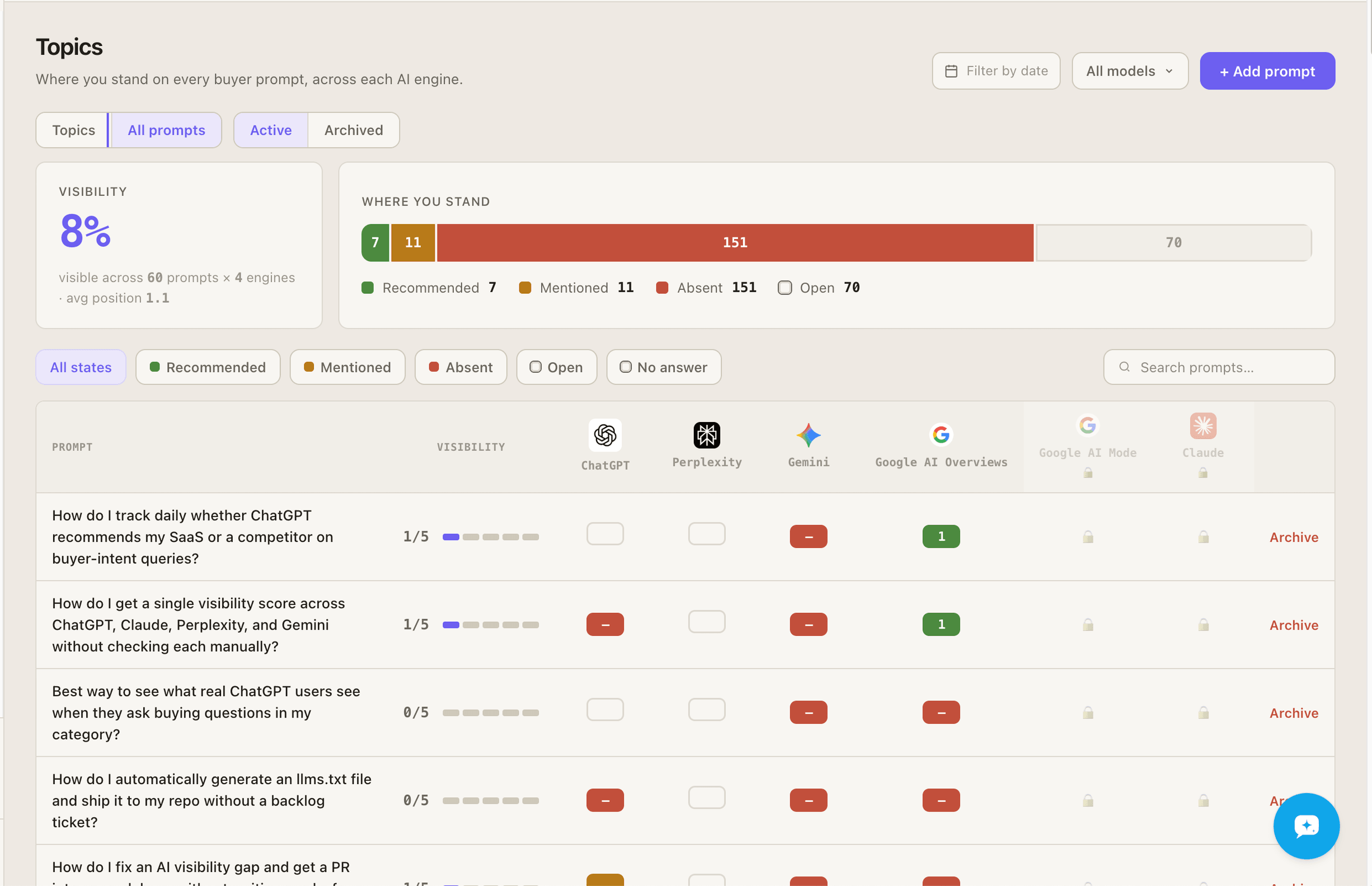
The All prompts view (switch to it from Topics) lists every buyer question you track and how each engine answered it.
What you see
Section titled “What you see”- Visibility: how visible you are across your prompts and engines, with your average position.
- Where you stand: the split of answers into Recommended, Mentioned, Absent and Open.
- A row per prompt with each engine’s answer state. Filter by state (including No answer), by engine, and by date range, and switch between Active and Archived prompts.
The states are defined in How measurement works.
Reading an answer
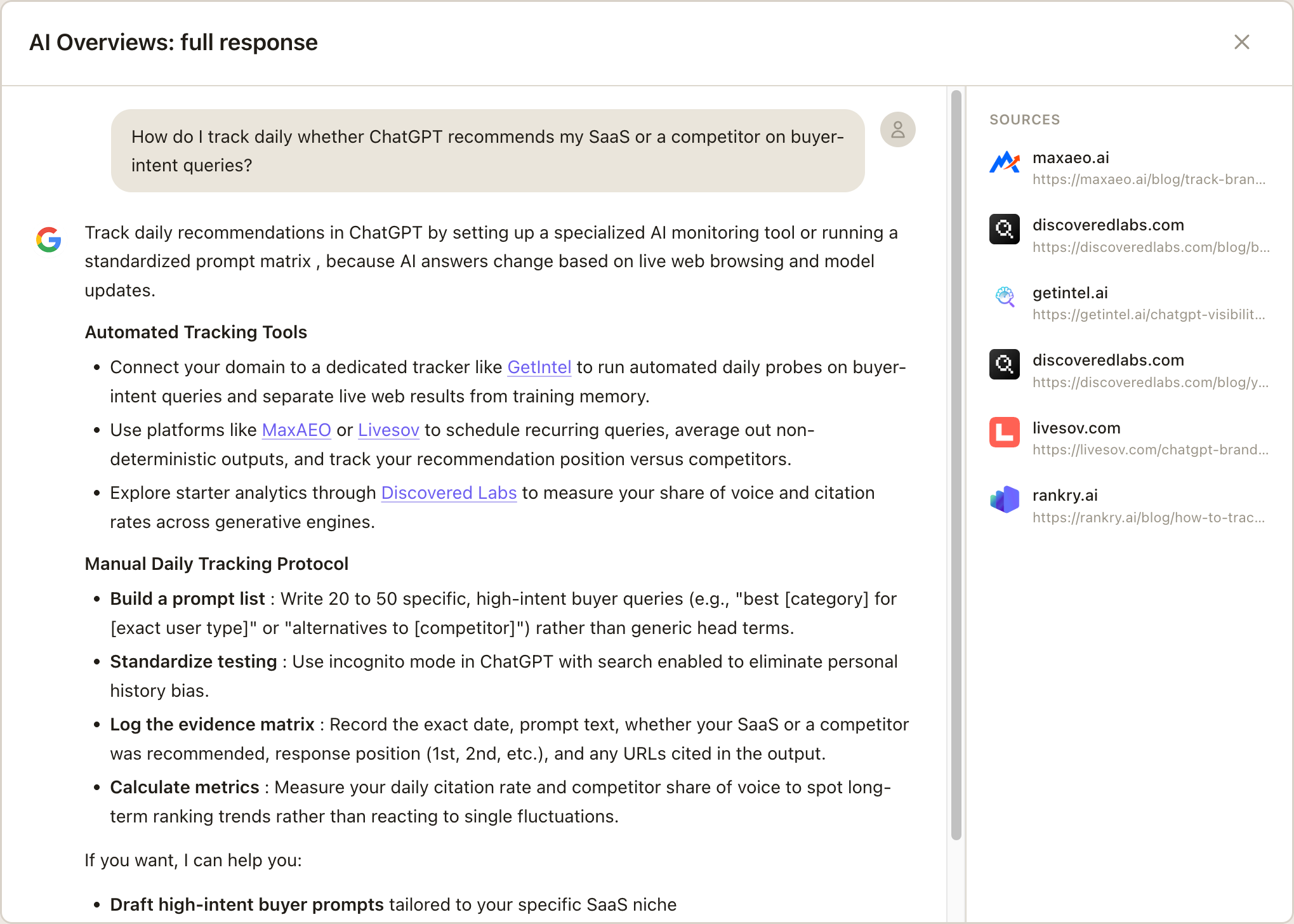
Section titled “Reading an answer”Open a prompt to read what each engine actually said, the brands it named, and the sources it cited.
Managing prompts
Section titled “Managing prompts”- Add prompt to track a new buyer question. Pick the topic it belongs to, so it counts in that topic’s score.
- Archive a prompt to stop scanning it. Its history is kept and you can Restore it later, as long as you have a free prompt slot.
Adding or archiving prompts changes what visibility is calculated over, so it can move your numbers by itself. Each change is marked with a ◆ on the Home visibility chart, with the prompt count after it, and on the chart of the topic it belongs to. A connected agent can make the same changes over MCP, including rewording a prompt or moving it to another topic.